

Nov 2, 2026 · 9 min read
Getting WhatsApp Business Right: A Practical Guide for Indian Businesses in 2026

Introduction: WhatsApp is easy to use. Managing it as a business is different.
For many Indian businesses, WhatsApp has become one of the first places customers go when they want to ask a question, enquire about a product or get an update on an order.
A customer might message a clothing store to check whether a particular size is available. Someone looking for a property may ask for pricing and a site visit. A parent might contact a coaching institute to understand its courses and admission process.
These conversations often lead to real business opportunities.
But as enquiries increase, managing everything manually becomes difficult. Messages get missed. Follow-ups are delayed. More than one team member may reply to the same customer. Important conversations get buried among everyday chats.
The problem is not WhatsApp itself. The challenge is managing customer conversations properly as the business grows.
Let's look at how businesses can make WhatsApp communication more organised without making the process unnecessarily complicated.
1. Start by understanding where your WhatsApp conversations are getting stuck
Before choosing any software or automation tool, look at how your business currently handles messages.
Ask yourself:
- Are customer enquiries answered on time?
- Can multiple team members manage conversations?
- Does someone remember which leads need a follow-up?
- Can you find an old customer conversation easily?
- Do you know which enquiries became actual customers?
- Are marketing messages being sent only to customers who have given the appropriate consent?
If several answers are no, the business may have outgrown its current way of handling WhatsApp.
For example, imagine a business receiving 40 enquiries in a day. The owner handles some messages, a sales executive replies to others, and a support person manages existing customers.
Without a shared process, it becomes difficult to know who is handling which conversation.
That is where a more organised communication system helps.
2. Use a shared Team Inbox instead of depending on one phone
One of the first improvements a growing business can make is moving towards a shared inbox.
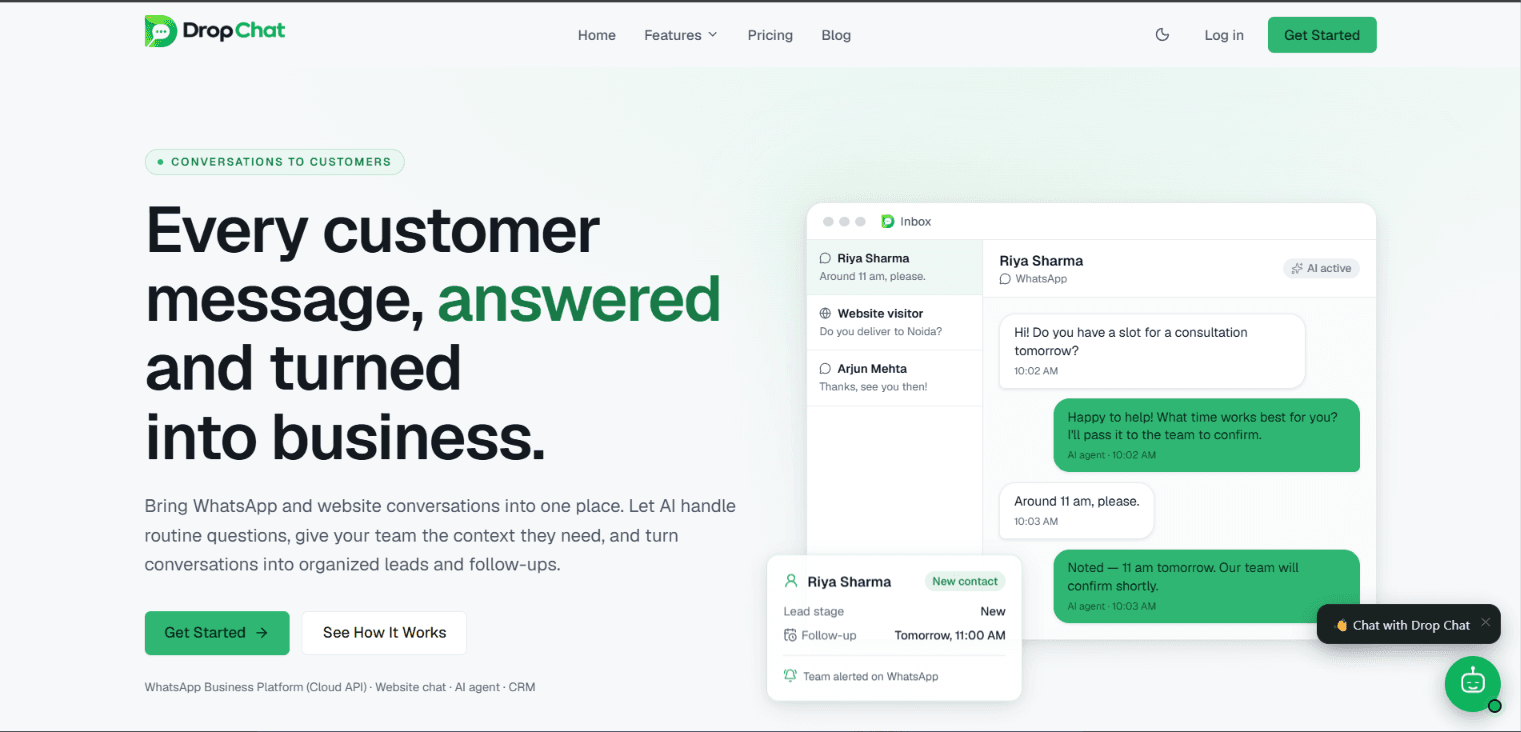
A shared Team Inbox allows authorised team members to manage customer conversations from a common workspace.
Instead of asking employees to use one person's phone or forwarding screenshots of chats, the team can work from a more organised system.
Depending on the platform, useful capabilities can include:
- Viewing customer conversations in one place.
- Assigning conversations to team members.
- Tracking conversation status.
- Maintaining context from earlier interactions.
- Helping teams coordinate replies.
Consider a real estate business. A new property enquiry arrives. The sales manager can assign it to an available salesperson, who can then continue the conversation without losing its context.
This is a much more manageable process than relying on one person to forward every message.
3. Understand the WhatsApp Business Platform and Cloud API
WhatsApp Business App and the WhatsApp Business Platform are not the same thing.
The Business App is useful for businesses that need a relatively simple way to communicate with customers.
The WhatsApp Business Platform, including Cloud API, is designed for businesses that need to integrate WhatsApp communication with software, workflows and team operations.
It can support use cases such as:
- Connecting WhatsApp with a CRM.
- Managing customer conversations through a shared interface.
- Sending approved message templates where required.
- Integrating business notifications.
- Building automated customer communication workflows.
Businesses should understand Meta's messaging rules, template requirements, pricing and consent policies before implementing the platform.
Choosing the right setup depends on the size of the team, message volume and the kind of customer experience the business wants to provide.
4. Don't let interested leads disappear because of missed follow-ups
A customer may enquire today but make a purchase several days later.
Someone may ask about pricing and need time to decide. Another person may request a product catalogue and return with questions after discussing it with their family or team.
If nobody follows up, a genuine opportunity can easily get lost.
A proper lead management process helps businesses:
- Store customer details and enquiry history.
- Track leads through different stages.
- Identify pending follow-ups.
- Maintain ownership of customer enquiries.
- Understand which leads need attention.
For example, a coaching institute could organise enquiries into New Enquiry, Interested, Counselling Scheduled and Admission Completed.
This gives the team a clearer picture of its sales pipeline.
5. Use AI to handle repetitive customer questions
Many businesses receive the same questions throughout the day.
What are your timings? Where are you located? What are your prices? How can I book an appointment?
Answering these questions manually takes time, especially when the team is busy.
An AI-powered agent can help handle common questions, provide information from an approved knowledge base and assist customers outside regular working hours, depending on its configuration.
However, AI should not be treated as a replacement for every human interaction.
A good customer communication system should allow conversations to move to a human team member when the situation requires personal attention.
The goal is simple: let automation handle repetitive work while your team focuses on conversations that need human judgement.
6. Run WhatsApp campaigns responsibly
WhatsApp can also be an important customer engagement channel.
Businesses may use campaigns for relevant product updates, offers, announcements and customer communication.
But sending messages without considering customer preferences can damage trust.
Keep these points in mind:
- Obtain appropriate customer consent.
- Follow Meta's WhatsApp Business messaging policies.
- Use approved templates where required.
- Make opt-out instructions clear where applicable.
- Avoid sending irrelevant or excessive messages.
- Monitor campaign delivery and customer responses.
A useful campaign is not simply one that reaches more people. It is one that reaches the right audience with a relevant message.
7. Connect your website and WhatsApp communication
Many customers first discover a business through its website.
They may browse a product, read about a service or visit a pricing page before deciding whether to contact the business.
A website live chat widget gives visitors another way to ask questions without searching for contact details.
Businesses can use website chat to:
- Answer common visitor questions.
- Capture enquiries.
- Direct visitors towards relevant information.
- Help visitors request a demo or appointment.
- Connect website conversations with their broader support process.
For businesses that receive enquiries through both websites and WhatsApp, bringing conversations into a more organised workflow can be particularly useful.
8. Choose business communication software based on your actual needs
There are many tools available, and the most expensive option is not necessarily the right one.
Before choosing a platform, consider:
- Does it support the official WhatsApp Business Platform?
- Can multiple team members handle conversations?
- Does it provide lead and contact management?
- Can repetitive workflows be automated?
- Are AI capabilities available where needed?
- Can website chat be integrated?
- Does it support your team's actual working process?
- Is the pricing suitable for your business?
Start with the problems you want to solve. Then evaluate software based on whether it solves those problems.
9. How Drop Chat helps businesses manage customer communication
Drop Chat is built to help businesses bring important customer communication activities together in one platform.
Instead of managing every activity separately, businesses can use features such as:
- WhatsApp Team Inbox: manage customer conversations with a shared team workspace.
- AI Agent: help answer common customer questions using configured instructions and business knowledge.
- CRM and Lead Management: organise contacts, enquiries and customer follow-ups.
- WhatsApp Campaigns: manage campaigns while supporting consent and opt-out workflows.
- Automation: create workflows for repetitive customer communication tasks.
- Website Live Chat: give website visitors a way to connect with the business.
- Appointments and Reminders: manage customer appointment-related interactions.
The idea is not to add more tools to your team's daily routine. It is to make customer communication easier to manage as the business grows.
You can explore Drop Chat to understand the platform and its available plans.
10. A practical checklist before improving your WhatsApp setup
Before making any changes, take a few minutes to review your current process.
- Identify where customer enquiries currently arrive.
- Check how conversations are assigned to team members.
- Find out how pending leads are followed up.
- Review your WhatsApp messaging and consent practices.
- Identify repetitive questions that could be automated.
- Decide whether your business needs a shared inbox or CRM.
- Evaluate tools based on your actual requirements.
- Start with a small workflow and improve it over time.
You do not need to automate everything on day one. Start with the biggest communication problem and solve it properly.
Conclusion: Better conversations lead to better customer experiences
WhatsApp has made it easier for customers to reach businesses. But responding consistently, keeping track of enquiries and managing a growing team requires a proper process.
A shared inbox, organised lead management, useful automation and responsible customer communication can make a meaningful difference to everyday business operations.
The best setup is not necessarily the one with the most features. It is the one your team can actually use to serve customers better.
If your business is finding it difficult to manage customer conversations across WhatsApp and your website, it may be time to explore a more organised approach.
Explore Drop Chat and see whether it fits your business communication needs.
For more information about the platform, you can also visit Drop Chat on SaaSHunt.